
How to Search Plymouth County Court Dockets
Start at MassCourts, the public docket portal for the Trial Court. The Trial Court's how to search court dockets page walks through the same fields. Pick the department first, since that keeps your Plymouth County results clean.
The official docket-search instructions page is shown below.
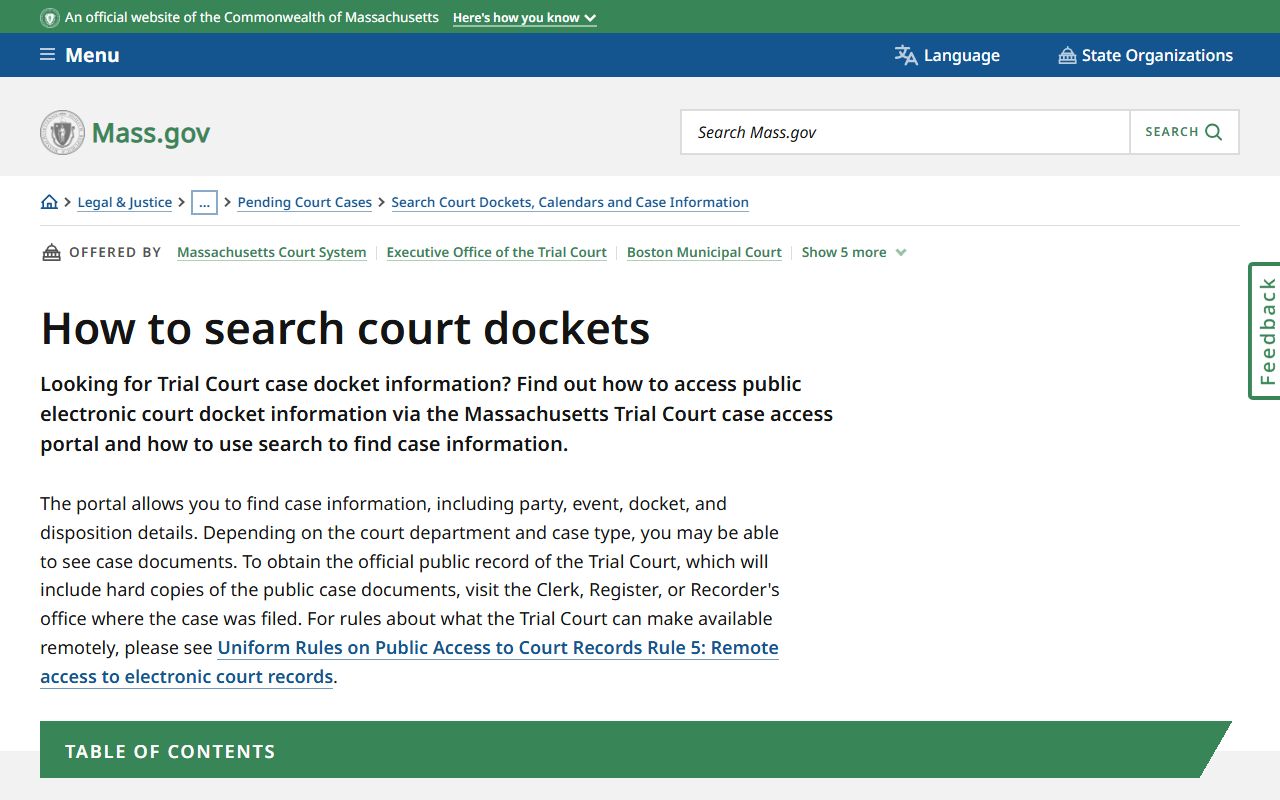
That page explains which departments publish dockets and what each search tab does.
- Open MassCourts and choose a court department.
- Select the Plymouth County location if asked.
- Enter a docket number, or switch to the name tab.
- Filter by case type and filing date to trim results.
- Open the docket and read the entries from the top.
- Note the docket number for any clerk request.
Which Plymouth County Courts Publish Dockets
Public docket access depends on the department. Most criminal and civil dockets in the Superior Court and the District Court are open through MassCourts. Probate and Family Court dockets are often available too, though many of the underlying documents are not. Juvenile Court records are restricted by law and do not appear as ordinary public dockets.
For Plymouth County, the docket you want may sit at one of several locations. The court department and the city together point you to the right clerk.
- Superior Court in Plymouth, for felonies and large civil cases.
- District Court in Plymouth, Brockton, Hingham, or Wareham.
- Probate and Family Court in Plymouth or Brockton.
- Southeast Housing Court sessions for housing disputes.
Docket number formats are not uniform. Each department and case year can use a different pattern, so copy the number exactly as MassCourts shows it.
Docket Number Search vs Party Name Search
Two paths lead to a Plymouth County docket. A docket number is exact. A name search is broader and can return many people who share a name. The comparison below shows when to use each.
| Feature | Docket Number Search | Party Name Search |
|---|---|---|
| Best for | A known case | Finding a case from a name only |
| Precision | Pinpoint | Broad, needs filters |
| Common-name risk | None | High without a date or location |
| What you need | The docket number and department | Last name, court location, filing year |
When a name search returns a long list, add a filing date range and the court location to narrow it fast.
What a Plymouth County Court Docket Shows
A docket reads like a timeline. Each line is an event, dated and labeled. Reading from the first entry to the last tells the story of the case. The sample entries below are the kinds of lines you see on a Plymouth County court docket.
| Docket Entry | What It Means |
|---|---|
| Complaint filed | The case opened. |
| Summons issued | The court ordered a party to be notified. |
| Return of service | Proof the other party was served. |
| Motion / Opposition | A request for an order and the reply to it. |
| Hearing notice | A scheduled court date. |
| Order / Judgment | A ruling or the final decision. |
| Default / Warrant | A party failed to appear or respond. |
Criminal dockets add entries for arraignment, bail, pleas, and probation. Probate dockets add citations, bonds, inventories, and accounts.
Reading Case Status on a Plymouth County Docket
The status line tells you where the case stands right now. Common values are open, closed, disposed, inactive, and transferred. A disposed or closed case has reached an outcome. An open case is still moving. Transferred means the case left for another court, which is common when a District Court felony moves to Superior Court by indictment.
Status can lag the courtroom. An entry made this morning may not post until the clerk keys it in. For a date you must rely on, confirm it with the clerk.
How a Plymouth County Criminal Case Moves Through the Docket
A criminal docket follows a fairly set order, and knowing the order helps you read it. A case can start in the District Court and move up to the Superior Court when a grand jury returns an indictment for a serious felony.
Case flow: Arrest and booking › Arraignment in District Court › Pretrial hearings › Indictment to Superior Court for felonies › Trial or plea › Disposition and sentence
Each step leaves a docket entry. A missed date can add a default and a warrant, which then shows on the docket until the court recalls it. The bail line, where public, notes the amount or conditions set at arraignment.
Hearings and Events
Many Plymouth County dockets list scheduled events. An event line can show the date, the event type, the session or courtroom, and sometimes the time. Event types include case management, motion hearings, pretrial conferences, and trials.
Not every event posts online, and a courtroom can change at the last minute. The mass.gov location page for the court and the clerk's office are the safest sources for a same-day schedule.
If you are a party or a witness, do not rely only on the docket for your court date. Read your notice, and call the clerk if the docket and your paperwork do not match. A missed date can lead to a default, and in a criminal case, a warrant.
Plymouth County Docket Entry Glossary
Docket entries lean on shorthand. A short glossary keeps the timeline readable. These terms appear across departments.
- Disposition
- The final outcome of a charge or case.
- Continuance
- A postponement of a scheduled hearing.
- Default
- A failure to appear or respond on time.
- Nolle prosequi
- A prosecutor's decision not to pursue a charge.
- Mittimus
- An order committing a person to custody.
When an entry is unclear, the clerk for that court can explain the code, but cannot give legal advice.
Documents Behind the Docket
The docket lists filings, but it does not always hand you the documents. MassCourts is not a full download library. To get the complaint, a motion, a judgment, or a transcript, you usually request copies from the clerk or register named on the docket. Some documents are impounded and stay off the public file unless a court allows access.
To request a document, note the docket number and the exact entry you want, then contact the clerk for that court. Tell them the case name, the filing year, and whether you need a plain or certified copy. Certified copies carry a fee and are the version courts and agencies accept as official. A plain printout from MassCourts is fine for reading, but it is not certified.
Note: A printout of a Plymouth County docket is not a certified copy; order a certified copy from the clerk when you need an official document.
Older Records and Appeals
Older Plymouth County cases may not appear online. Pre-electronic files can sit in court storage, archives, or registries, and you reach them through the clerk. For genealogy and historic probate, the register, the state archives, and town clerks may hold what MassCourts does not.
When a case is appealed, the docket may show a notice of appeal and then go quiet as the matter moves up. Most appeals from Plymouth County trial courts go to the Massachusetts Appeals Court. For the court structure behind those moves, see the Superior Court page, and for the underlying case files see Plymouth County court records.